
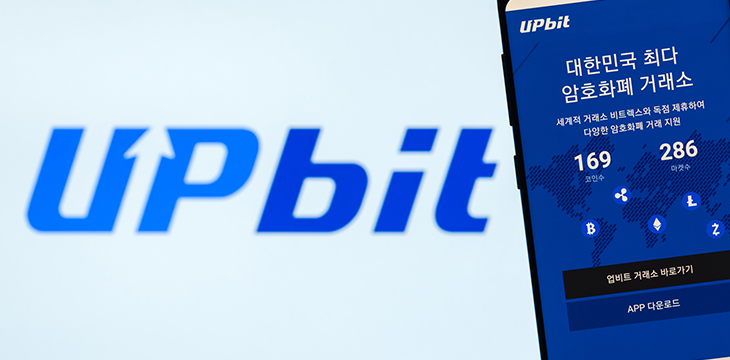
What the Upbit app actually is
Upbit launched in 2017 and is run by Dunamu Inc. The mobile app is a full client for the same centralized, custodial exchange you reach through a browser. You can browse the KRW, BTC and USDT markets, read charts, place orders, move funds, and access staking — all from a phone.
Two words matter before you go further: centralized and custodial. Upbit holds your private keys, the way a bank holds your cash. That is convenient — you can reset a forgotten password and a support desk exists — but it also means the coins on the app are not truly in your sole control. Compare that to a self-custody wallet such as MetaMask or a hardware wallet: there you hold your own seed phrase, and if you lose it, no support desk on earth can recover your funds. The app is a window into a custodial account, not a self-custody wallet.
Good to know
According to the official site (upbit.com), Upbit lists 169+ digital assets and is South Korea's largest exchange by trading volume. Figures like asset counts and fees change — treat any number here as a snapshot and confirm in-app.
Downloading the app: iOS, Android and the regional catch
The Upbit app exists for both iOS (Apple App Store) and Android (Google Play). The honest caveat: app store availability is region-restricted. Upbit is a Korean exchange built primarily for residents of South Korea, and the consumer app is generally published to the Korean storefronts. If your Apple ID or Google account is set to another country, you may simply not see the app in search results.
REGIONAL LIMITDo not work around store restrictions by sideloading an .apk you found on a random site. Account access, KYC and withdrawals are gated to eligible regions anyway — installing a cracked or repackaged build will not unlock service, but it can hand your credentials to an attacker.
The safe rule: only install from the official Apple App Store or Google Play listing, and verify the publisher reads Dunamu Inc. Confirm the current download links from the official site (upbit.com) rather than trusting a link in an email or chat message.
Confirm eligibility first
Check that Upbit serves your region before installing. Outside its supported markets, you can install nothing useful — verification and trading will be blocked.
Open the official store
Use the Apple App Store (iOS) or Google Play (Android). Search for Upbit and confirm the developer is listed as Dunamu.
Check the listing details
Look at review counts, the developer name and the update history. A brand-new listing with few reviews impersonating Upbit is a red flag.
Install and launch
Tap install, wait for the download to finish, then open the app. Do not enter credentials if anything about the listing looked off — go back and verify via upbit.com.
Set device-level protection
Before you log in, make sure your phone itself has a screen lock and that biometrics are enabled, so the app can sit behind them.
First-run setup
On first launch you either sign in to an existing Upbit account or register. Expect a strict KYC process: identity verification is mandatory for meaningful use. Unverified accounts face withdrawal restrictions until identity verification is complete — you may be able to look around, but you will not be able to move funds out freely.
- Sign in or create your account (email plus a strong, unique password).
- Enable two-factor authentication (
2FA) immediately — do not skip this screen. - Complete identity verification (
KYC): expect a government ID and, in Korea, bank/real-name account linkage. - Turn on a biometric or PIN app-lock so the app re-authenticates each time it opens.
- Review notification permissions and decide what you actually want pushed to your phone.
On the travel rule
Like most regulated exchanges in 2026, Upbit operates under travel rule requirements: for certain transfers it must collect and share sender/recipient information. That is a compliance feature of any custodial exchange, not a quirk of the app — expect extra fields when withdrawing to some external wallets.
Key features on mobile
Markets and charts
The app exposes the full KRW, BTC and USDT markets. Charting on a phone is serviceable for monitoring and quick orders, but the small screen is a genuine constraint — multi-indicator technical analysis is far more comfortable on the web or desktop client.
Deposits and withdrawals
You can deposit and withdraw crypto from the app. This is where the most expensive mistakes happen, so read the next warning twice.
NETWORK MISMATCH = LOST FUNDSThe send network and the receive network must match. If you send anERC-20token to aTRC-20deposit address (or vice versa), the funds are typically gone forever — no support ticket can claw them back. Always confirm the exact network on both ends before you tap confirm. On a small phone screen it is easy to misread a chain label, so slow down.
Two more honest points on fees and limits. Network withdrawal fees can be steep — Ethereum (ERC-20) withdrawals in particular cost real money during congestion. And unverified or newly verified accounts may hit withdrawal limits. None of this is hidden, but the app does not exactly shout it at you.
Staking
Upbit offers staking for selected assets, accessible from the app. Treat advertised yields with the skepticism they deserve: staking rewards are variable, your assets remain custodial while staked, and lock-up or unbonding periods mean you cannot always exit instantly. It is a feature, not a guaranteed return.
App vs web: what is different
The app and the web platform share one account and one set of balances, but the experience is not identical. The table below summarizes the practical trade-offs.
| Aspect | Mobile app | Web / desktop |
|---|---|---|
| Charting depth | Basic to moderate; cramped on small screens | Full indicators, larger workspace |
| Order placement | Fast for simple market/limit orders | Better for complex, multi-leg setups |
| Push alerts | Native price and account notifications | Browser notifications only |
| Biometric lock | Yes (Face ID / fingerprint) | No — relies on device login |
| Convenience | On-the-go access anywhere | Tied to a computer |
| Phishing surface | Fake-app risk in stores | Fake-domain / lookalike-URL risk |
App strengths
- Trade and monitor anywhere
- Biometric app-lock adds a real security layer
- Instant push alerts for price and account events
- Same account and balances as the web
App weaknesses
- Region-restricted in the app stores
- Cramped charting for serious analysis
- Fake-app impersonation risk if you are careless
- Easy to misread a network label and send to the wrong chain
Mobile security checklist
A phone is a juicy target: it travels, it gets lost, and it runs other apps that may be hostile. Harden the Upbit app deliberately.
- Enable
2FA— prefer an authenticator app over SMS, which is vulnerable to SIM-swap attacks. - Turn on the in-app biometric or PIN lock so a stolen, unlocked phone still cannot open Upbit.
- Use a unique password you do not reuse anywhere else; store it in a password manager.
- Keep the OS and the app updated — security patches matter.
- Disable lock-screen previews of sensitive notifications (codes, balances).
- Never approve a login or withdrawal request you did not initiate; that is an attacker testing your account.
FAKE APPSCounterfeit Upbit apps are a recurring threat. Only ever install from the official Apple App Store or Google Play listing published by Dunamu — never from a link in an email, a chat message, a search ad, or a third-party APK site. A convincing fake exists for one reason: to steal your credentials and your funds. When in doubt, delete it and reinstall from the verified store listing.
Permissions and privacy
A trading app should not need the keys to your whole phone. Here is what is reasonable versus what should make you pause.
| Permission | Why it might be requested | Verdict |
|---|---|---|
| Camera | Scanning QR deposit addresses; KYC document capture | Reasonable, but you can grant it only when needed |
| Notifications | Price and account push alerts | Optional — your call |
| Biometrics / Face ID | App-lock authentication | Recommended |
| Photos / Files | Uploading KYC documents | Grant narrowly, revoke after |
| Contacts / Location | No clear trading need | Decline unless a specific feature justifies it |
As a custodial, regulated exchange, Upbit already collects significant personal data through KYC. That is the nature of the service. What you control on the device is the extra surface: keep permissions minimal, and review them periodically in your phone's settings.
Troubleshooting common issues
Login loop (it keeps kicking you back to the sign-in screen)
Usually a stale session or a clock-skew problem with 2FA codes. Check that your phone's date and time are set to automatic (authenticator codes fail if the clock drifts), force-quit and reopen the app, then clear the app cache. If it persists, update the app and reboot the phone.
Push notifications not arriving
Confirm notifications are allowed at both the OS level (phone settings) and in-app. Battery-saver and background-restriction modes silently kill push delivery — whitelist Upbit. On Android, also check that Google Play services are up to date.
App won't update or keeps crashing
Free up storage, ensure your OS meets the app's minimum version, then uninstall and reinstall from the official store. Reinstalling does not touch your funds — they live on the exchange, not on the phone — but you will need to log in and pass 2FA again.
If a withdrawal is stuck
A pending withdrawal that won't move is often waiting on network confirmations, a manual security review, or a travel rule data requirement. Check the transaction status in-app, confirm the destination address and network were correct, and contact official support through the app — never through a number or chat someone DMs you.
How to update safely
- Update only through the Apple App Store or Google Play — never an in-app pop-up that links elsewhere.
- Confirm the publisher is still Dunamu before tapping update.
- Read the update notes; legitimate updates describe fixes and features.
- Update over a trusted network, not random public Wi-Fi, and re-verify your 2FA still works afterward.
TIPTurn on automatic app updates in your store settings for security patches, but keep automatic OS updates on too. The most common mobile compromise is an outdated, unpatched device — not a clever exchange exploit.
Frequently asked questions
Maybe not. App store availability is region-restricted, and the consumer app is generally published to Korean storefronts because Upbit serves primarily South Korean residents. Check whether Upbit operates in your region on upbit.com before installing — outside supported markets, verification and withdrawals are blocked anyway.
The official app from Dunamu, installed from the Apple App Store or Google Play, is a legitimate client for a regulated exchange. The bigger risks are fake apps and phishing. Enable 2FA and a biometric lock, and never install from a link or a third-party APK site.
Upbit is custodial, so the exchange holds your keys — the app is just a window into that account. For full control you would use a self-custody wallet where you keep your own seed phrase. The trade-off: with self-custody, losing the seed phrase means losing the funds, with no support desk to call.
You will most likely lose it permanently. Sending an ERC-20 asset to a TRC-20 address (or any cross-network mismatch) usually cannot be reversed or recovered. Always confirm the network matches on both the sending and receiving side before you confirm a withdrawal.
Largely, but not as comfortably. The app handles markets, charts, deposits, withdrawals and staking, but serious technical analysis and complex orders are easier on the web or desktop client. They share one account and one balance.
Fees follow the exchange schedule, not the device. Per the official site, the KRW market base fee is 0.05% (maker and taker) for standard orders, while BTC and USDT markets are 0.25%; reserve/stop-limit KRW orders are around 0.139%. Fees can change — confirm current rates on upbit.com.